
Sharing
Publish a frozen, read-only notebook or Lab that others can view, download, or fork.
A share link is a read-only snapshot that anyone can open without an account. It uses a short clusy.io/s/… URL and can be listed on the Clusy Hub for discovery.
Create a share
The share dialog lets you choose:
- Scope: share This experiment for one branch as a linear notebook, or The whole Lab for every branch and the fork explorer.
- Presentation: add a title and description, or let Generate with AI draft them. A Hub listing can have up to eight tags.
- Outputs: decide whether charts, tables, logs, and other saved results appear.
- Forking: decide whether a viewer may copy the snapshot into their own workspace.
- Hub listing: leave it off for an unlisted link, or turn it on to publish the snapshot in the public gallery.
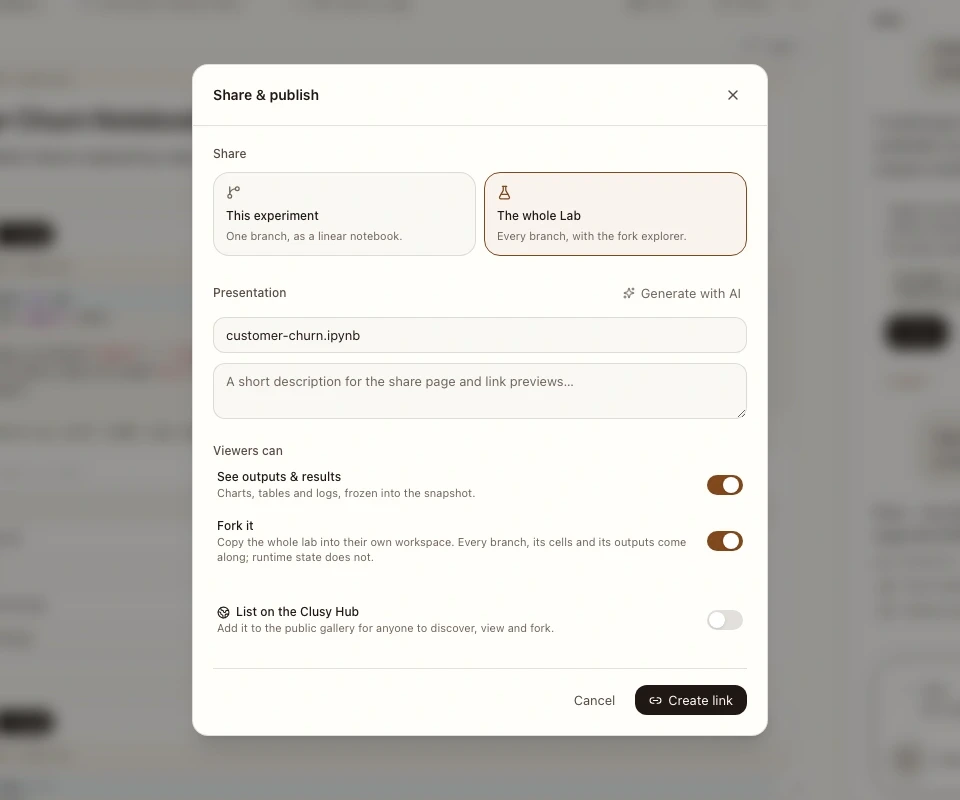 The current Share & publish dialog over a real notebook workspace. Choose one experiment or the whole Lab, then control outputs, forking, and Hub discovery.
A share is a frozen snapshot
Publishing captures the cells, chosen branch scope, and included outputs at that moment. It does not follow later edits.
To refresh an existing link, open its share settings and choose Update or re-freeze the notebook when saving the share. The URL stays the same while the snapshot generation changes.
Inspect outputs before sharing
Anything visible in an included output travels with the snapshot: a token in a
traceback, a customer row in df.head(), a secret printed during debugging, or
a local path. Turn outputs off or remove sensitive output before publishing.
A share has no password or per-person access list. Anyone with its URL can open it. Revoke the link if it reaches the wrong audience.
What a fork copies
A fork copies snapshot content, not the author's running machine:
- A This experiment share becomes a linear notebook for that branch.
- A The whole Lab share preserves the complete captured branch graph—branches, fork points, cells, convergence edges, executions, and included outputs.
- Kernel variables and runtime state do not come along. The recipient reruns cells to rebuild them.
The fork owns its new project and can change it without affecting the frozen share or the author's project.
What a viewer can do
Depending on the share settings, a viewer can:
- read the cells and included outputs,
- navigate the branch explorer for a whole-Lab share,
- fork the snapshot into their own workspace after signing in,
- download the
.ipynb, - or use the Colab handoff.
Downloading the notebook remains available even when forking is disabled.
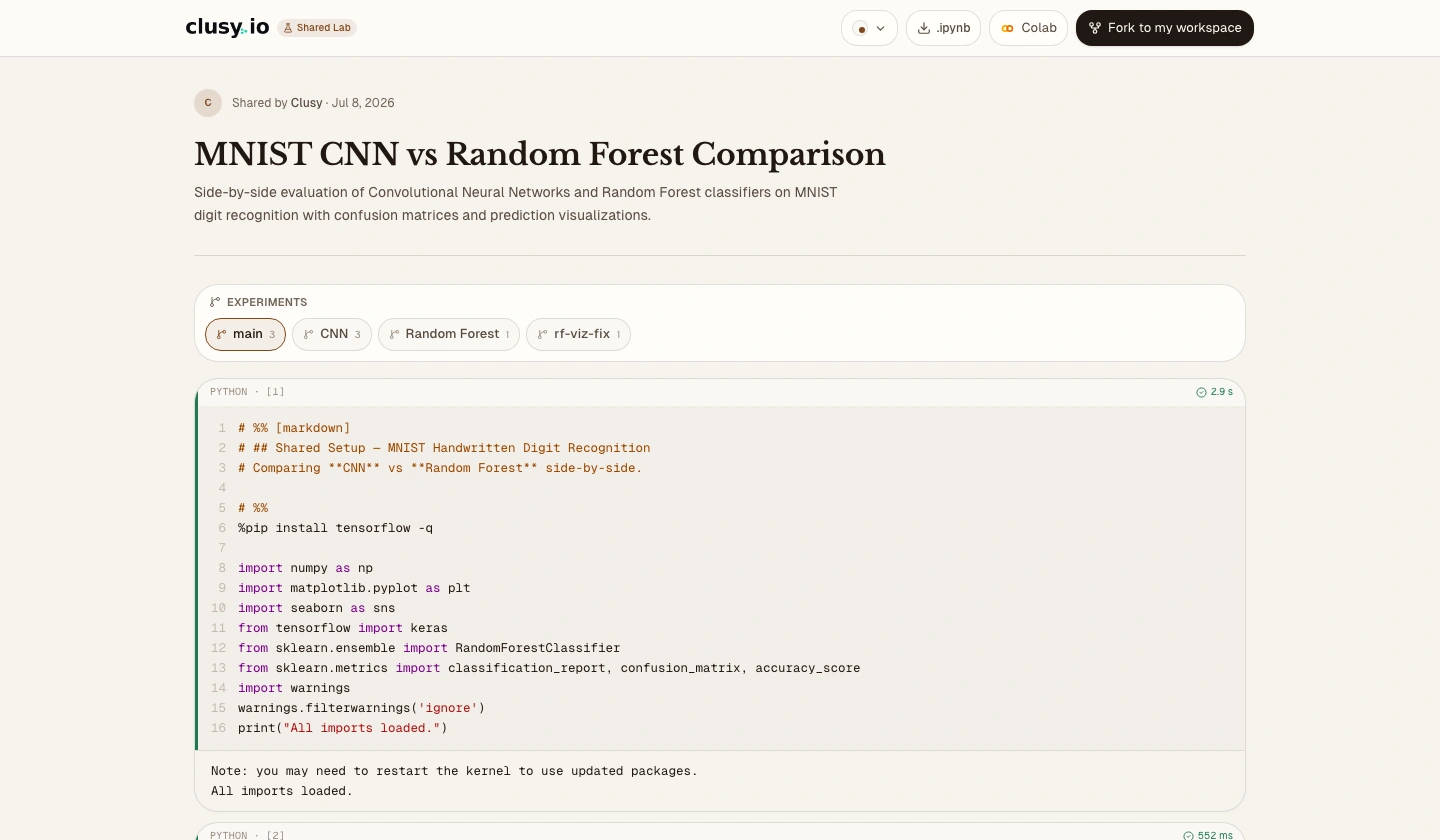 A current shared Lab in the public, read-only viewer. Readers can move between captured experiments, download the notebook, open it in Colab, or fork it when allowed.
Manage and revoke links
Manage shares from the notebook. Updating re-freezes the current content at the existing URL. Revoking makes the old URL unavailable and removes a Hub listing tied to it.
Sharing, Hub, and publishing
| You want to… | Use |
|---|---|
| Show a frozen result at a link | A share link |
| Make it discoverable inside Clusy | The Clusy Hub |
| Keep a versioned development history | GitHub |
| Push notebooks or artifacts to another platform | Publishing |
Sharing hosts a snapshot on Clusy. Publishing is the separate workflow for GitHub, Hugging Face, or Kaggle.