
The interface
How navigation, the notebook canvas, and the movable agent surface fit together on wide and narrow screens.
Inside a project, Clusy has three working surfaces: navigation, the notebook canvas, and the agent conversation.
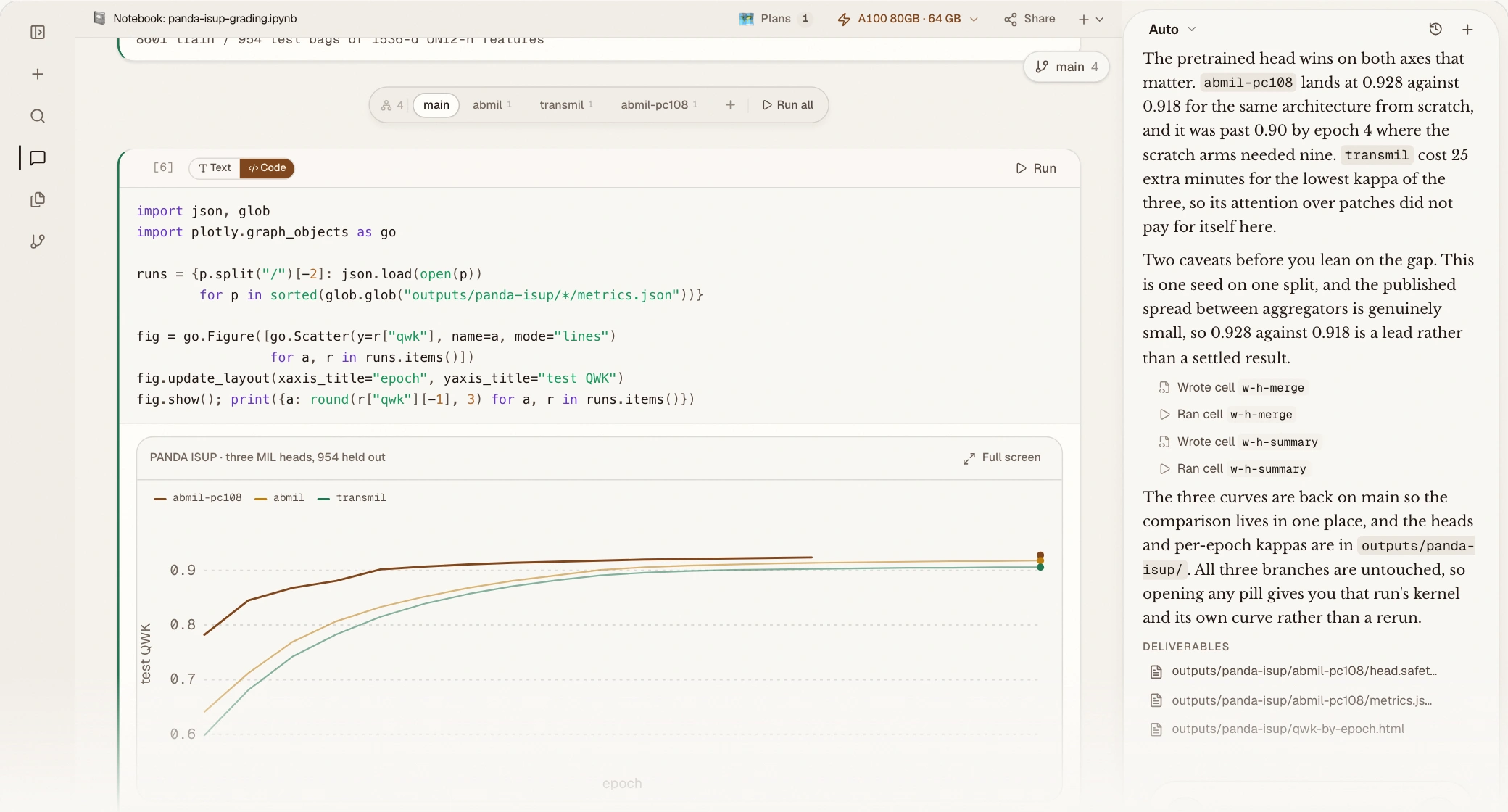 A current wide workspace, rendered from the product showcase: navigation, a live notebook and its experiment branches, and Auto docked on the right.
Navigation
The sidebar has three tabs:
- Chats: switch sessions or start one.
- Files: browse notebooks, deliverables, uploaded datasets, and the sandbox workspace. See Data & files.
- Git: inspect changes and history after connecting GitHub.
On narrow screens the sidebar becomes an overlay so it does not take permanent workspace width.
An empty project
On a wide desktop, a project opens directly into the workspace. The empty canvas says No notebook yet and offers Start a notebook, while the agent is already available in a rail beside it. You can begin from either side.
On a narrow screen there is not enough room for two useful columns, so the conversation starts full-width. Sending the first request reveals the notebook workspace as the agent begins preparing it.
Clusy does not create a placeholder notebook merely because you sent a message. The agent creates the real notebook when its work needs one; until then the canvas honestly shows loading, setting up, or no-notebook state.
Agent conversation
Messages, plans, clarifications, tool approvals, worker progress, research, and completed deliverables appear in the conversation. The composer stays at the bottom, with the model picker and workflow controls nearby.
The agent surface can live in three places on a wide workspace:
- Docked right or docked left as a resizable rail.
- Bubble, floating over the canvas and collapsible to a compact pill.
Drag its header to change placement. Clusy remembers the preference, but falls back to the bubble/overlay layout when the available width cannot hold a rail and a readable canvas together.
Before a notebook is visible, the sandbox picker appears in the conversation context bar. Once the canvas owns a notebook surface, the picker moves to the canvas tab bar. In compact layouts it remains reachable from the conversation overflow menu.
Canvas
The canvas opens notebooks, plans, tabular previews, and document previews in tabs. Its notebook tab bar also holds the sandbox picker and Share action.
Inside a notebook:
- cells and outputs run down the active branch,
- branch controls sit at the top right,
- and fork selectors appear where experiment branches diverge.
Click a CSV in Files to open a spreadsheet-style preview; PDFs and other supported documents open in their own canvas tab.
Responsive layout
Resize bars appear only when the canvas and a side-docked agent both fit. On smaller desktop widths, tablets, and phones, the interface switches to overlay navigation and a compact workspace control bar instead of squeezing three columns together. Use it to reopen the conversation, notebook, navigation, or current branch as needed.
Theme, density, text size, contrast, and reduced-motion preferences are under Settings → Appearance.